
Download VxTerm English – terminal emulator, SSH client, Telnet client, serial terminal, network device management, legacy system support, engineering tool, command-line interface, remote access, secure connection
Overview
VxTerm English is a specialized terminal simulation tool tailored for engineers and technical professionals who require reliable, secure, and efficient remote access to network devices and systems. Designed with both hardware and software engineers in mind, the application supports critical protocols such as Telnet, SSH, SFTP, and Serial, enabling seamless connectivity across diverse infrastructure environments. Its primary purpose is to streamline remote system administration, device configuration, and troubleshooting tasks, particularly in scenarios involving legacy systems or constrained hardware. The app is especially relevant for users working in industrial automation, embedded systems, or IT support roles where command-line interaction remains essential.
Target users include network administrators, system engineers, and developers who manage servers, routers, switches, or programmable logic controllers via terminal interfaces. The tool's lightweight footprint and compatibility with older operating systems like Windows XP make it a practical solution in environments where system upgrades are restricted due to cost, compliance, or operational stability concerns. Real-world use cases include remote configuration of network equipment, secure file transfers using SFTP, and serial communication with embedded devices. In the broader app ecosystem, VxTerm English fills a niche for minimalistic yet powerful terminal clients that prioritize reliability and cross-platform accessibility without demanding extensive system resources.
Key Features & Functionality
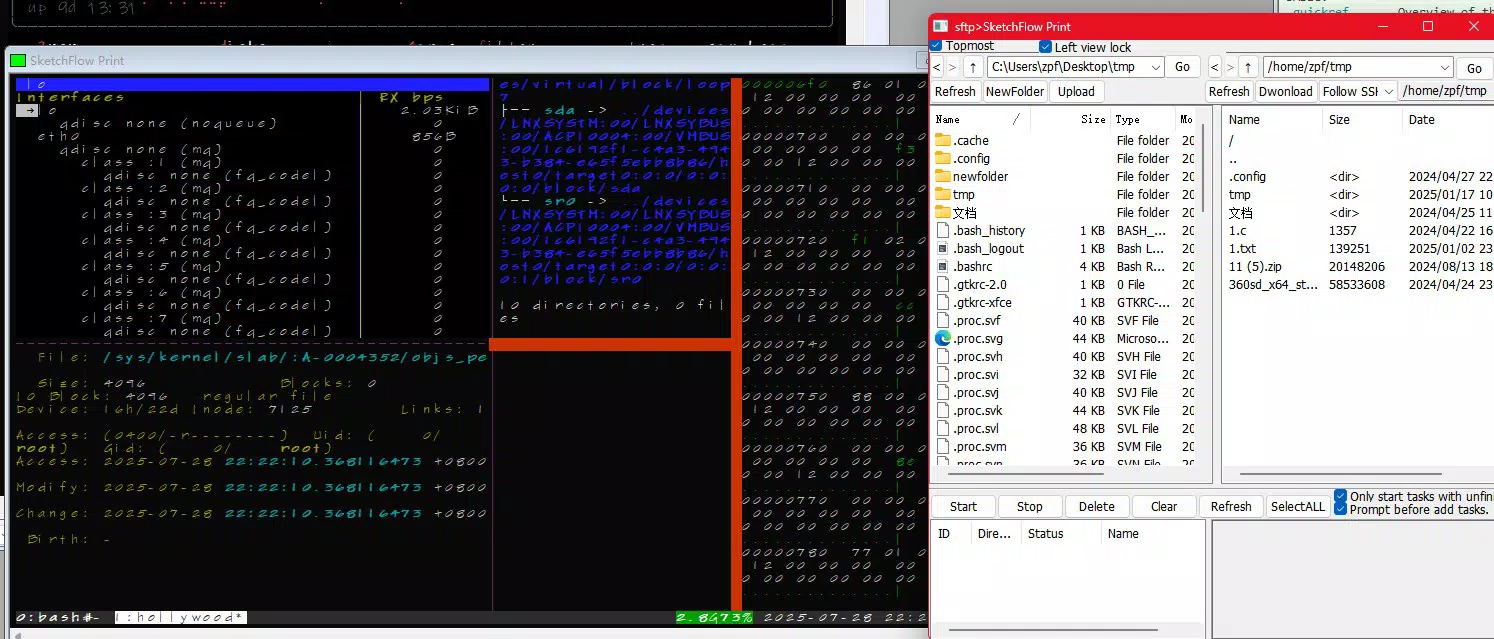
- Multi-Protocol Support: VxTerm English enables connections through Telnet, SSH, SFTP, and Serial protocols, allowing users to interact with a wide range of network devices, servers, and embedded systems from a single interface. This eliminates the need to switch between multiple tools, enhancing workflow efficiency.
- User-Friendly Interface: Despite its technical nature, the app features an intuitive layout that supports both beginners and experienced users. The ability to select a non-Simplified Chinese interface improves accessibility for international users and ensures clarity in operation.
- Lightweight Installation: At just 7 MB, the application requires no external dependencies or complex setup. It can be launched directly, making it ideal for use on older machines or systems with limited storage and processing power.
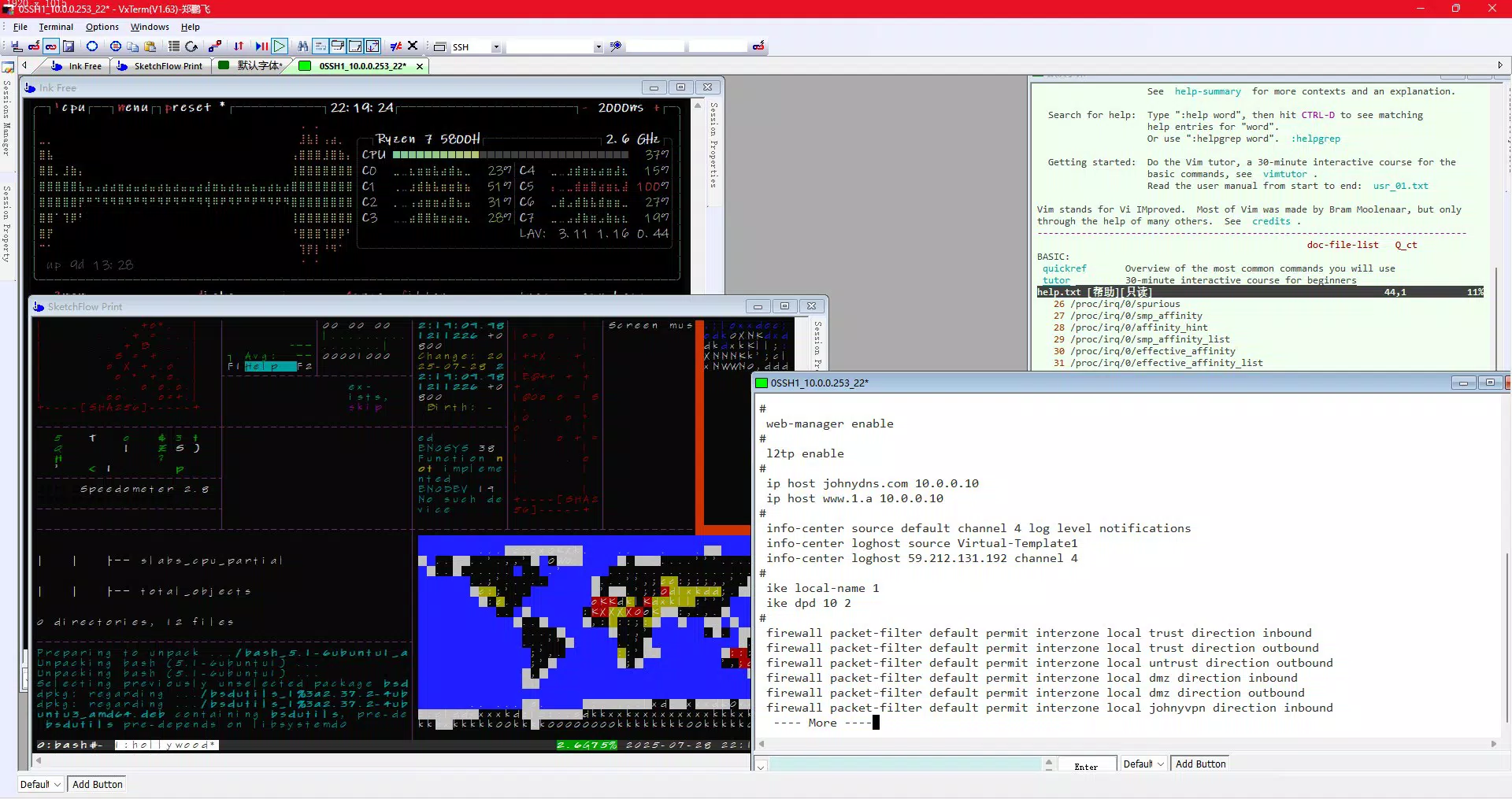
- Multi-Session Management: Engineers can run multiple terminal sessions simultaneously, each dedicated to a different device or server. This capability supports efficient multitasking, enabling real-time monitoring and control across distributed systems.
- Legacy System Compatibility: VxTerm English is designed to function on older operating systems such as Windows XP, offering a rare solution for organizations that cannot upgrade their infrastructure due to legacy software dependencies or hardware constraints.
For example, a network technician managing a series of industrial routers can open separate SSH sessions to each device, transfer configuration files via SFTP, and monitor logs in real time—all within one cohesive interface. Similarly, an embedded systems developer can use the serial terminal feature to debug firmware on a microcontroller connected via USB-to-serial adapter, all without installing additional drivers.
Interface, UX & Performance
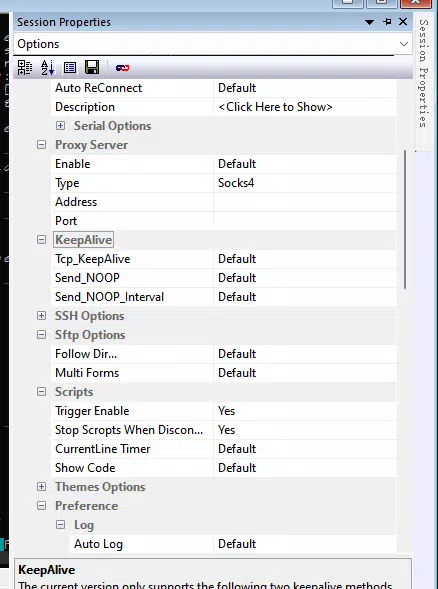
The user interface of VxTerm English is designed with functionality and clarity in mind. It presents a clean, minimal layout that prioritizes terminal output and session controls, minimizing visual clutter. Navigation is straightforward, with session tabs, connection settings, and protocol selection accessible through clearly labeled menus. The layout remains consistent across different screen sizes, ensuring usability on both desktop and laptop displays.
Although the developer did not list formal performance metrics, the application’s lightweight design suggests efficient resource usage. It is expected to operate smoothly on devices with limited RAM and processing power, particularly those running older operating systems. Responsiveness is likely maintained due to the absence of background services and the lack of dependency on external frameworks. Stability appears to be a focus, given the tool’s purpose in mission-critical engineering workflows where crashes or connection drops could lead to operational delays.
Users can expect consistent behavior during long-running sessions, though the absence of built-in logging or session history features may limit traceability for auditing purposes. Overall, the UX is optimized for speed and reliability, aligning with the expectations of professionals who value precision and uptime.
Platform Compatibility & Technical Requirements
VxTerm English is available exclusively for the Windows platform. The current version is 2.3.0, with a file size of 7 MB, making it highly portable and easy to distribute across teams or deploy on multiple machines. The developer did not specify minimum OS requirements beyond its known compatibility with Windows XP, indicating potential support for older Windows versions such as Windows 7 or Windows 10.
Specific hardware requirements were not listed. However, given the application’s small size and lack of dependencies, it is likely to function on systems with modest specifications. Users operating on modern Windows systems should experience seamless compatibility, while those on legacy hardware will benefit from its low resource footprint. The absence of a dedicated mobile or macOS version suggests a focused target audience: Windows-based engineering and IT professionals.
Pros and Cons
Pros
- Lightweight design at only 7 MB, ideal for older or low-resource systems.
- Supports multiple protocols including SSH, Telnet, SFTP, and Serial for versatile connectivity.
- Compatible with legacy operating systems such as Windows XP.
- Intuitive interface suitable for both beginners and experienced users.
- Free to download and use, with no hidden costs or in-app purchases.
Cons
- Only available for Windows, limiting cross-platform use.
- Developer did not provide detailed system requirements or performance benchmarks.
- Limited information on session logging, history, or export features.
- No mobile or macOS versions currently available.
- Functionality appears focused on core terminal tasks, lacking advanced automation or scripting tools.
FAQ
Is VxTerm English safe to download and install?
Yes, the application is free and distributed without known malware. It requires no installation of additional software or drivers, reducing security risks. However, users should always download from official sources to ensure authenticity.
Can I use VxTerm English on Windows 10 or Windows 11?
While not explicitly confirmed, the application’s compatibility with Windows XP suggests it may function on newer Windows versions. Users are advised to test it on their system for optimal performance.
Does VxTerm English support secure connections?
Yes, the app supports SSH and SFTP protocols, which provide encrypted communication for secure remote access and file transfers.
Is VxTerm English suitable for beginners?
Yes, the user-friendly interface and straightforward session setup make it accessible even to those new to terminal-based operations.
Are updates available for VxTerm English?
Updates are released periodically. The current version is 2.3.0, and users should check the official website for the latest release and improvements.
Final Thoughts + CTA
VxTerm English stands out as a reliable, no-frills terminal emulator designed for engineers and IT professionals who demand efficiency, compatibility, and security in their daily workflows. Its ability to function on legacy systems like Windows XP while supporting modern protocols such as SSH and SFTP makes it a rare and valuable tool in today’s evolving tech landscape. The lightweight design, multi-session capability, and free availability further enhance its appeal, especially for teams operating under budget or hardware constraints.
While it lacks advanced automation features and mobile support, its core functionality is solid and well-executed. For users who prioritize stability, simplicity, and cross-protocol access on Windows, VxTerm English delivers tangible value. It’s a practical choice for anyone managing network devices, embedded systems, or remote servers through a command-line interface.
Download VxTerm English now


